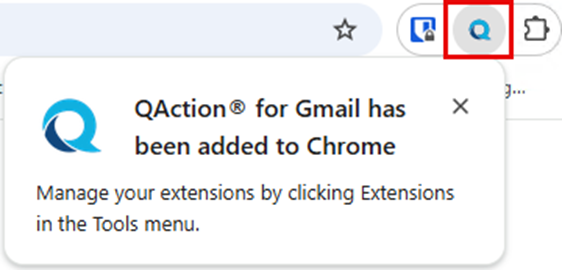
If you use Google Gmail, there is a QAction extension (add-in) that will allow you to add emails to QAction from Gmail. The following are the steps for installing the Gmail extension.
Note:
- The Gmail add-in (extension) is only available for the Google Chrome browser.
- Your IT department may block the installation of extensions.
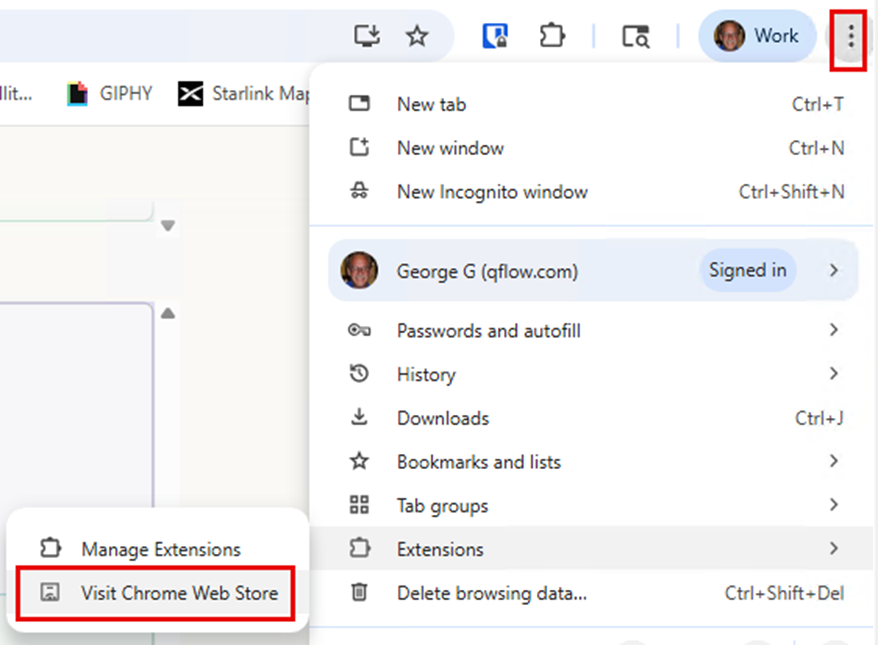
Open a Google Chrome browser and click the 3 dots located in the upper right next to your profile. Expand the “Extensions” option and select “Visit Chrome Web Store”.
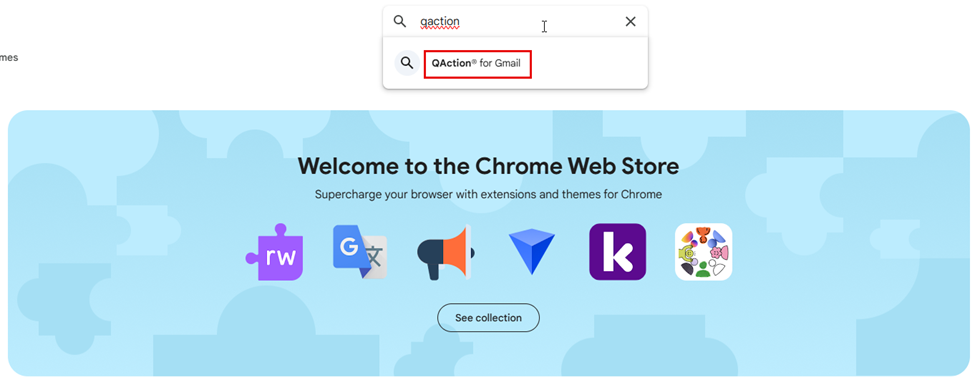
The Chrome Web Store will open in a new tab. In the search field enter “QAction”. Select “QAction for Gmail” from the suggested extensions.
The Chrome Web Store will list multiple similar items. Click on the “QAction for Gmail” extension.

When prompted if you want to add the extension to Chrome, click on “Add to Chrome”.

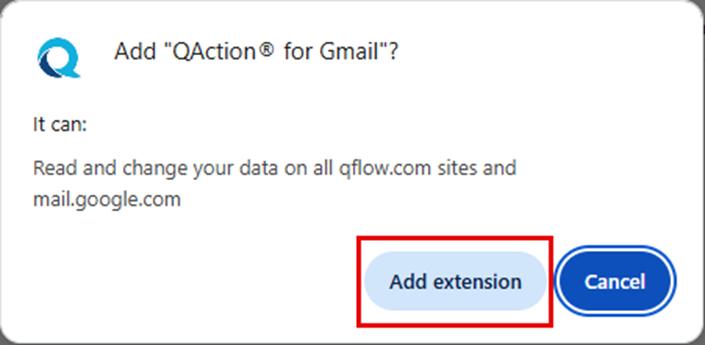
When prompted with what access the QAction for Gmail extension will have, click on “Add extension”.
Once the extension has been installed, there will be a “Q” for QAction when you open an email.