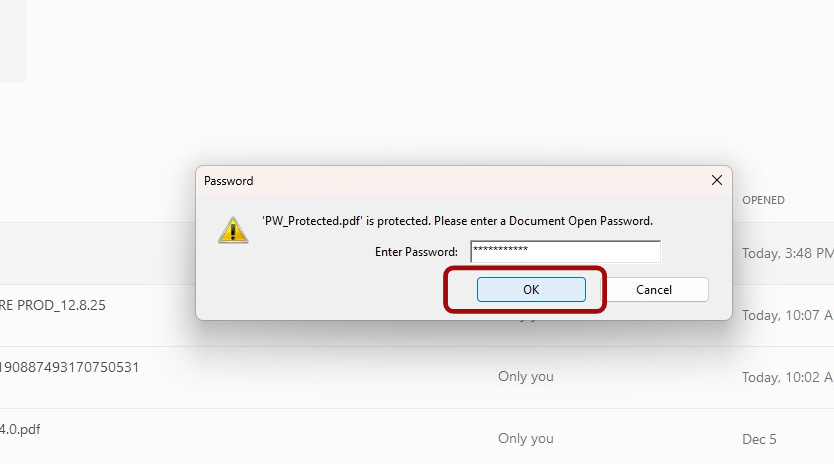
1. Locate the PDF and try to open. Enter Password and click OK
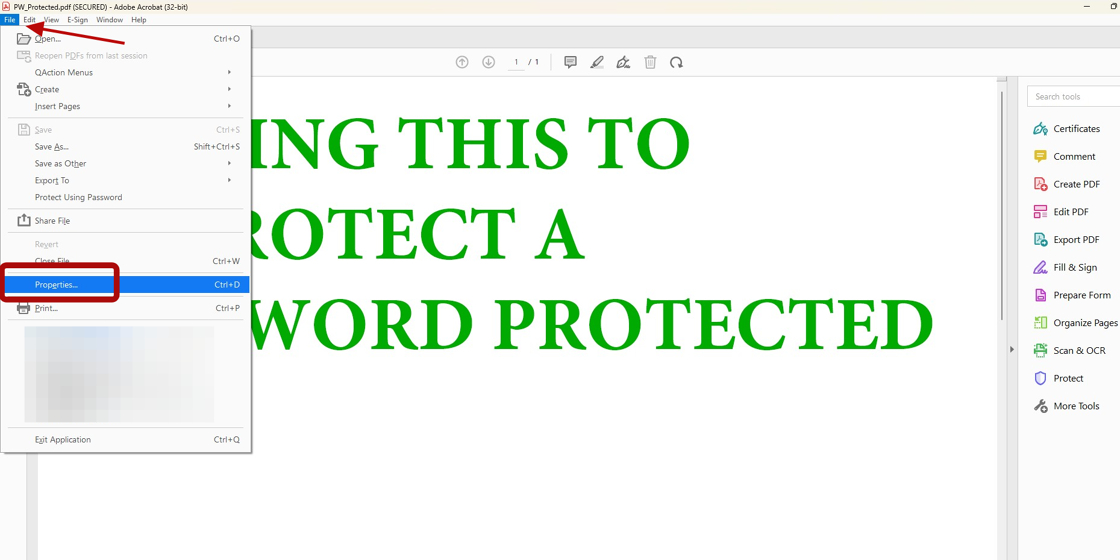
2. Then select File from the top right, and choose Properties...
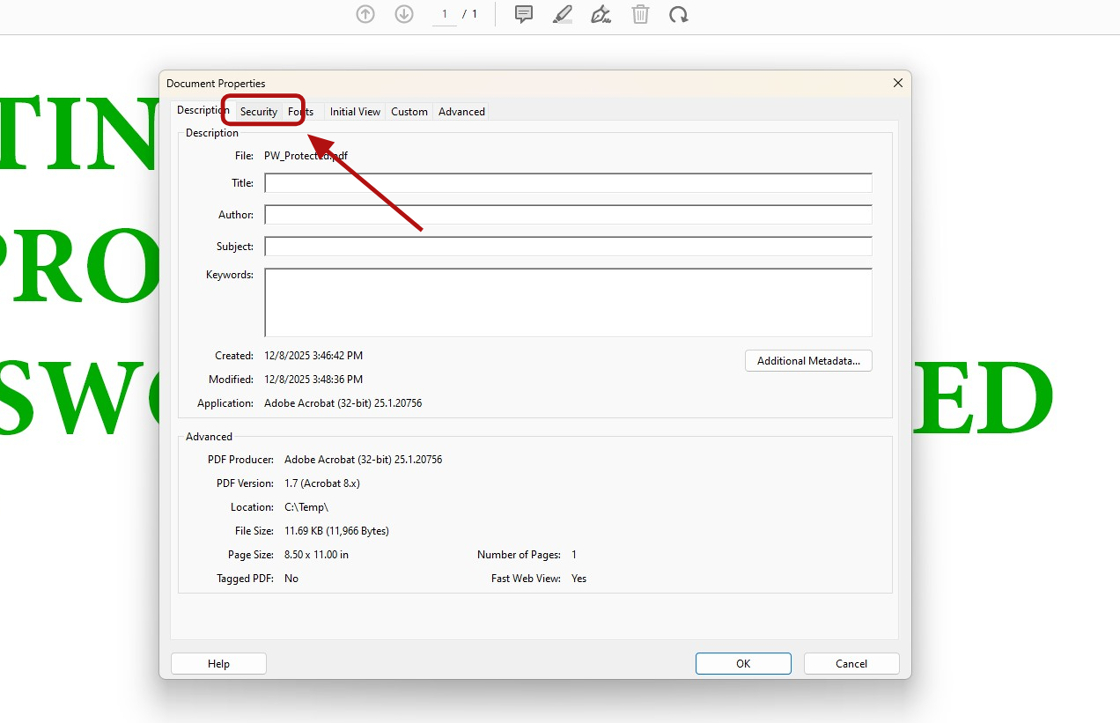
3. Then select the Security tab at the top
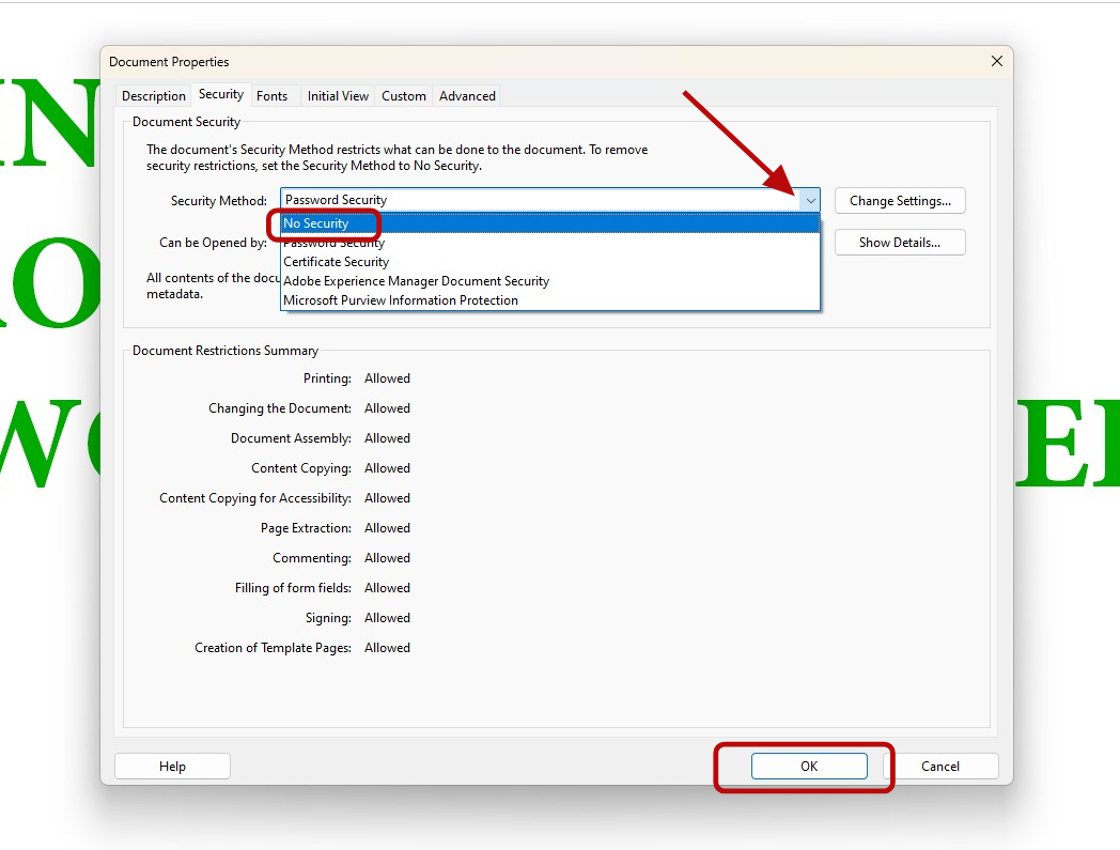
4. Click the dropdown for the security selections and choose No Security. Then click OK
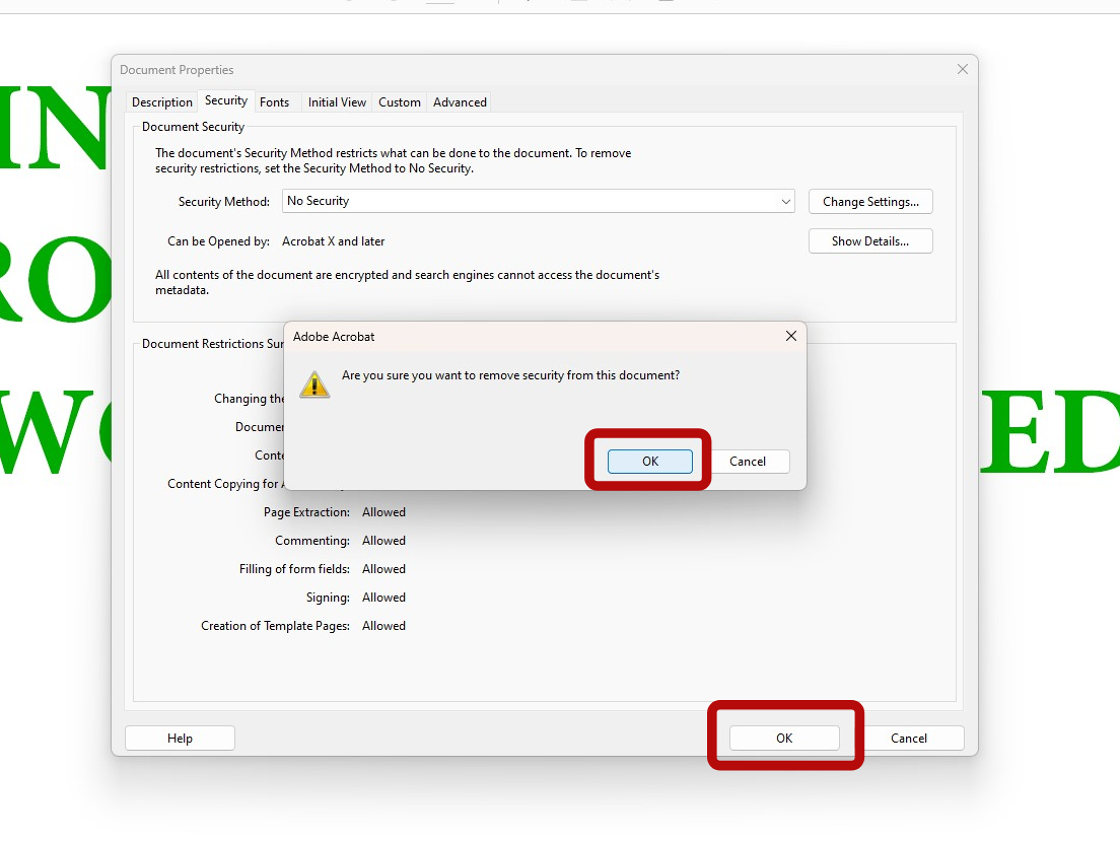
5. Confirm the change by clicking OK and then OK again
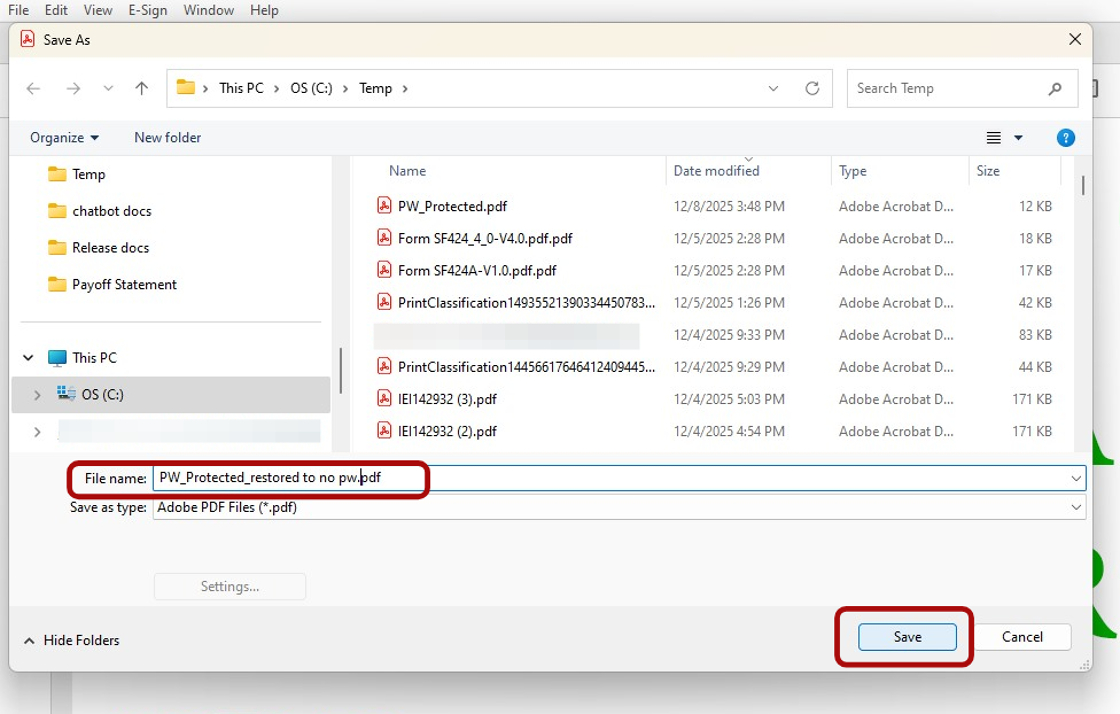
6. Then you want to resave the unprotected PDF again by clicking File and Save As...
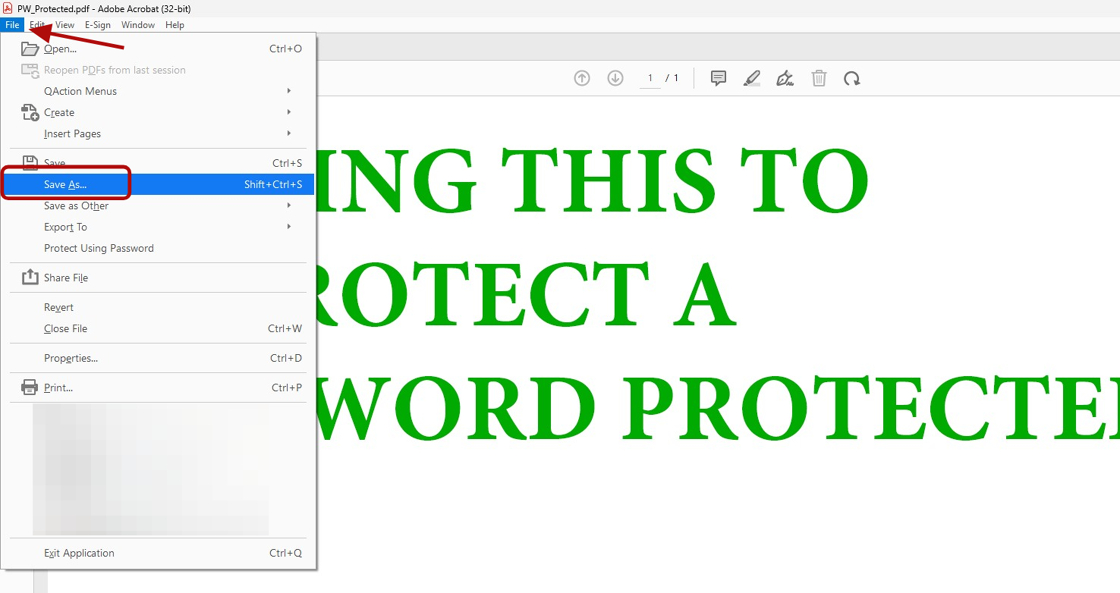
7. Update the file with a different name (e.g. restored to no pw) then click Save